> ## Documentation Index
> Fetch the complete documentation index at: https://seam-feat-mintlify-migration-iteration.mintlify.site/llms.txt
> Use this file to discover all available pages before exploring further.

# Creating and Encoding Card-based Credentials

> Learn how to create a card-based credential and then encode this credential onto a plastic card.

<figure>
  <img src="https://mintcdn.com/seam-feat-mintlify-migration-iteration/wHCCP74KFjF4xSb1/images/encode-card.png?fit=max&auto=format&n=wHCCP74KFjF4xSb1&q=85&s=a783b1dffc764f3d8f7378acd18b5a40" alt="" width="400" height="300" data-path="images/encode-card.png" />

  <figcaption />
</figure>

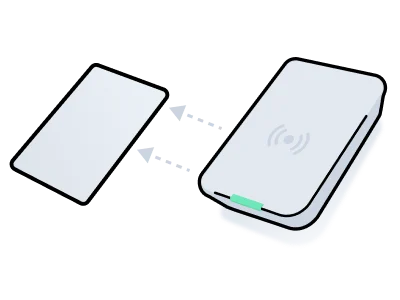
Some access control systems require encoding a plastic card with the data necessary to enable access. This process involves creating a credential with the required access permissions and then using a card encoder to write the credential onto the card.

This process consists of the following basic steps:

1. Set up an [access system user](../../../low-level-apis/access-systems/user-management) and create a [credential](../managing-credentials#create-a-card-based-credential) with the `access_method` set to `card`.\
   See the [system integration guide](/device-and-system-integration-guides#access-control-systems) for your access system provider to learn specific requirements, such as configuring entrances and access schedules.\
   See [Set Up an Access System User and Card Credential](#1-set-up-an-access-system-user-and-card-credential).
2. Use the `/acs/encoders/list` endpoint to retrieve a list of available encoders. Then, choose the encoder that you want to use to write the credential onto the card.\
   See [Retrieve Encoders](#2-retrieve-encoders).
3. Use the `/acs/encoders/encode_credential` endpoint to encode the credential onto the card, using the encoder that you have chosen.\
   See [Encode the Card](#3-encode-the-card).
4. Confirm that the card was encoded successfully using polling or a [webhook](../../../developer-tools/webhooks).\
   See [Confirm Successful Encoding](#4-confirm-successful-encoding). Also, see a list of [common encoding errors](#common-encoding-errors).

Once you have written a credential to a card, you cannot reuse the credential for another card. That is, you must create a separate credential for each card. However, you can reuse a card by re-encoding the card with a new credential.

***

## 1. **Set Up an Access System User and Card Credential**

This example shows how to create an access system user and card-based credential. Note that the `is_issued` property of the resulting credential is `false`, which means that the credential is ready to be written to a card and has not yet been used to encode a card.

<Info>
  Depending on your specific access control system, creating an access system
  user or credential may require additional parameters. For details, see the
  [system integration
  guide](/device-and-system-integration-guides#access-control-systems)
  for your access system.
</Info>

<Tabs>
  <Tab title="JavaScript">
    **Code:**

    ```javascript theme={null}
    // Step 1:
    // Create the new access system user.
    const acsUser = await seam.acs.users.create({
      acs_system_id: '11111111-1111-1111-1111-111111111111',
      full_name: 'Jane Doe',
      email_address: 'jane@example.com',
    })

    // Step 2:
    // Create a card-based credential for each entrance for the access system user.
    const credential = await seam.acs.credentials.create({
      acs_user_id: acsUser.acs_user_id,
      access_method: 'card',
      allowed_acs_entrance_ids: [
        // List the IDs of the entrances to which
        // you want to grant access.
        room101.seam_acs_entrance_id,
      ],
      starts_at: '2024-12-01T15:00:00.000Z',
      ends_at: '2024-12-04T12:00:00.000Z',
    })
    ```

    **Output:**

    ```json theme={null}
    {
      acs_credential_id: '66666666-6666-6666-6666-666666666666',
      acs_user_id: '33333333-3333-3333-3333-333333333333',
      access_method: 'card',
      starts_at: '2024-12-01T15:00:00.000Z',
      ends_at: '2024-12-04T12:00:00.000Z',
      is_issued: false,
      ...
    }
    ```
  </Tab>

  <Tab title="cURL">
    **Code:**

    ```bash theme={null}
    # Step 1:
    # Create the new access system user.
    acs_user=$(curl -X 'POST' \
      'https://connect.getseam.com/acs/users/create' \
      -H 'accept: application/json' \
      -H "Authorization: Bearer ${SEAM_API_KEY}" \
      -H 'Content-Type: application/json' \
      -d "{
      \"acs_system_id\": \"11111111-1111-1111-1111-111111111111\",
      \"full_name\": \"Jane Doe\",
      \"email_address\": \"jane@example.com\"
    }")

    # Step 2:
    # Create a card-based credential for each entrance for the access system user.
    # In allowed_entrance_ids, list the IDs of the entrances to
    # which you want to grant access.
    credential=$(curl -X 'POST' \
      'https://connect.getseam.com/acs/credentials/create' \
      -H 'accept: application/json' \
      -H "Authorization: Bearer ${SEAM_API_KEY}" \
      -H 'Content-Type: application/json' \
      -d "{
      \"acs_user_id\": \"$(jq -r '.acs_user.acs_user_id' <<< ${acs_user})\",
      \"access_method\": \"card\",
      \"allowed_acs_entrance_ids\": [
        \"${entrance_id}\"
      ],
      \"starts_at\": \"2024-12-01T15:00:00.000Z\",
      \"ends_at\": \"2024-12-04T12:00:00.000Z\"
    }")
    ```

    **Output:**

    ```json theme={null}
    {
      "acs_credential":
        {
          "acs_credential_id": "66666666-6666-6666-6666-666666666666",
          "acs_user_id": "33333333-3333-3333-3333-333333333333",
          "access_method": "card",
          "starts_at": "2024-12-01T15:00:00.000Z",
          "ends_at": "2024-12-04T12:00:00.000Z",
          "is_issued": false,
          ...
        },
      "ok":true
    }
    ```
  </Tab>

  <Tab title="Python">
    **Code:**

    ```python theme={null}
    # Step 1:
    # Create the new access system user.
    acs_user = seam.acs.users.create(
      acs_system_id = "11111111-1111-1111-1111-111111111111",
      full_name = "Jane Doe",
      email_address = "jane@example.com"
    )

    # Step 2:
    # Create a card-based credential for each entrance for the access system user.
    credential = seam.acs.credentials.create(
      acs_user_id = acs_user.acs_user_id,
      access_method = "card",
      # List the IDs of the entrances to which
      # you want to grant access.
      allowed_acs_entrance_ids = [
        room_101.seam_acs_entrance_id
      ],
      starts_at = "2024-12-01T15:00:00.000Z",
      ends_at = "2024-12-04T12:00:00.000Z"
    )
    ```

    **Output:**

    ```
    AcsCredential(
      acs_credential_id='66666666-6666-6666-6666-666666666666',
      acs_user_id='33333333-3333-3333-3333-333333333333',
      access_method='card',
      starts_at='2024-12-01T15:00:00.000Z',
      ends_at='2024-12-04T12:00:00.000Z',
      is_issued=False
      ...
    )
    ```
  </Tab>

  <Tab title="Ruby">
    **Code:**

    ```ruby theme={null}
    # Step 1:
    # Create the new access system user.
    acs_user = seam.acs.users.create(
      acs_system_id: "11111111-1111-1111-1111-111111111111",
      full_name: "Jane Doe",
      email_address: "jane@example.com"
    )

    # Step 2:
    # Create a card-based credential for each entrance for the access system user.
    credential = seam.acs.credentials.create(
      acs_user_id: acs_user.acs_user_id,
      access_method: "card",
      # List the IDs of the entrances to which
      # you want to grant access.
      allowed_acs_entrance_ids: [
        room_101.seam_acs_entrance_id
      ],
      starts_at: "2024-12-01T15:00:00.000Z",
      ends_at: "2024-12-04T12:00:00.000Z"
    )
    ```

    **Output:**

    ```
    <Seam::Resources::AcsCredential:0x00410
      acs_credential_id="66666666-6666-6666-6666-666666666666"
      acs_user_id="33333333-3333-3333-3333-333333333333"
      access_method="card"
      starts_at="2024-12-01T15:00:00.000Z"
      ends_at="2024-12-04T12:00:00.000Z"
      is_issued=false
      ...
    >
    ```
  </Tab>

  <Tab title="PHP">
    **Code:**

    ```php theme={null}
    // Step 1:
    // Create the new access system user.
    $acs_user = $seam->acs->users->create(
      acs_system_id: "11111111-1111-1111-1111-111111111111",
      full_name: "Jane Doe",
      email_address: "jane@example.com"
    );

    // Step 2:
    // Create a card-based credential for each entrance for the access system user.
    $credential = $seam->acs->credentials->create(
      acs_user_id: $acs_user->acs_user_id,
      access_method: "card",
      allowed_acs_entrance_ids: [
        // List the IDs of the entrances to which
        // you want to grant access.
        $room_101->seam_acs_entrance_id
      ],
      starts_at: "2024-12-01T15:00:00.000Z",
      ends_at: "2024-12-04T12:00:00.000Z"
    );
    ```

    **Output:**

    ```json theme={null}
    {
      "acs_credential_id": "66666666-6666-6666-6666-666666666666",
      "acs_user_id": "33333333-3333-3333-3333-333333333333",
      "access_method": "card",
      "starts_at": "2024-12-01T15:00:00.000Z",
      "ends_at": "2024-12-04T12:00:00.000Z",
      "is_issued": false,
      ...
    }
    ```
  </Tab>

  <Tab title="C#">
    **Code:**

    ```csharp theme={null}
    // Step 1:
    // Create the new access system user.
    AcsUser acsUser = seam.UsersAcs.Create(
      acsSystemId: "11111111-1111-1111-1111-111111111111",
      fullName: "Jane Doe",
      emailAddress: "jane@example.com"
    );

    // Step 2:
    // Create a card-based credential for each entrance for the access system user.
    AcsCredential credential = seam.CredentialsAcs.Create(
      acsUserId: acsUser.acsUserId,
      accessMethod: "card",
      allowedAcsEntranceIds: new List<string>
      {
        // List the IDs of the entrances to which
        // you want to grant access.
        room_101.acsEntranceId
      },
      startsAt: "2024-12-01T15:00:00.000Z",
      endsAt: "2024-12-04T12:00:00.000Z"
    );
    ```

    **Output:**

    ```json theme={null}
    {
      "acs_credential_id": "66666666-6666-6666-6666-666666666666",
      "acs_user_id": "33333333-3333-3333-3333-333333333333",
      "access_method": "card",
      "starts_at": "2024-12-01T15:00:00Z",
      "ends_at": "2024-12-04T12:00:00Z",
      "is_issued": false,
      ...
    }
    ```
  </Tab>
</Tabs>

***

## 2. Retrieve Encoders

There may be multiple encoders at a location, so it’s important to select the right one to encode the credential.

This example shows how to retrieve all encoders in a building connected to a single access system. Once you've identified the encoder you'd like to use, save the `acs_encoder_id` of the chosen encoder for the next step.

<Tabs>
  <Tab title="JavaScript">
    **Code:**

    ```javascript theme={null}
    await seam.acs.encoders.list({
      acs_system_ids: [buildingSystemId],
    })
    ```

    **Output:**

    ```json theme={null}
    [
      {
        acs_encoder_id: '33333333-4444-5555-6666-777777777777',
        display_name: 'Front Desk',
        ...
      },
      ...
    ]
    ```
  </Tab>

  <Tab title="cURL">
    **Code:**

    ```bash theme={null}
    curl -X 'POST' \
      'https://connect.getseam.com/acs/encoders/list' \
      -H 'accept: application/json' \
      -H "Authorization: Bearer ${SEAM_API_KEY}" \
      -H 'Content-Type: application/json' \
      -d "{
      \"acs_system_ids\": [\"${building_system_id}\"]
    }"
    ```

    **Output:**

    ```json theme={null}
    {
      "acs_encoders": [
        {
          "acs_encoder_id": "33333333-4444-5555-6666-777777777777",
          "display_name": "Front Desk",
          ...
        },
        ...
      ],
      "ok": true
    }
    ```
  </Tab>

  <Tab title="Python">
    **Code:**

    ```python theme={null}
    seam.acs.encoders.list(
      acs_system_ids = [building_system_id]
    )
    ```

    **Output:**

    ```
    [
      AcsEncoder(
        acs_encoder_id='33333333-4444-5555-6666-777777777777',
        display_name='Front Desk',
        ...
      )
      ...
    ]
    ```
  </Tab>

  <Tab title="Ruby">
    **Code:**

    ```ruby theme={null}
    seam.acs.encoders.list(
      acs_system_ids: [building_system_id]
    )
    ```

    **Output:**

    ```
    [
      <Seam::Resources::AcsEncoder:0x00410
        acs_encoder_id="33333333-4444-5555-6666-777777777777"
        display_name="Front Desk"
        ...
      >,
      ...
    ]
    ```
  </Tab>

  <Tab title="PHP">
    **Code:**

    ```php theme={null}
    $seam->acs->encoders->list(
      acs_system_ids: [building_system_id]
    );
    ```

    **Output:**

    ```json theme={null}
    [
      {
        "acs_encoder_id": "33333333-4444-5555-6666-777777777777",
        "display_name": "Front Desk",
        ...
      },
      ...
    ]
    ```
  </Tab>

  <Tab title="C#">
    **Code:**

    ```csharp theme={null}
    seam.EncodersAcs.List(
      acsSystemIds: new List<string>
      {
        buildingSystemId
      }
    );
    ```

    **Output:**

    ```json theme={null}
    {
      "acs_encoder_id": "33333333-4444-5555-6666-777777777777",
      "display_name": "Front Desk",
      ...
    }
    ...
    ```
  </Tab>
</Tabs>

***

## 3. Encode the Card

Use `/acs/encoders/encode_credential` to start the card writing procedure that stores the credential data on the plastic key card.

<Tabs>
  <Tab title="JavaScript">
    **Code:**

    ```javascript theme={null}
    const encodingActionAttempt = await seam.acs.encoders.encodeCredential({
      acs_credential_id: credential.acs_credential_id,
      acs_encoder_id: encoder.acs_encoder_id,
    })
    ```

    **Output:**

    ```json theme={null}
    {
      status: 'pending',
      action_attempt_id: '11111111-2222-3333-4444-555555555555",
      action_type: 'ENCODE_CREDENTIAL',
      result: null,
      error: null
    }
    ```
  </Tab>

  <Tab title="cURL">
    **Code:**

    ```bash theme={null}
    encoding_action_attempt=$(curl -X 'POST' \
      'https://connect.getseam.com/acs/encoders/encode_credential' \
      -H 'accept: application/json' \
      -H "Authorization: Bearer ${SEAM_API_KEY}" \
      -H 'Content-Type: application/json' \
      -d "{
      \"acs_credential_id\": \"$(jq -r '.acs_credential.acs_credential_id' <<< ${credential})\",
      \"acs_encoder_id\": \"${acs_encoder_id}\"
    }")
    ```

    **Output:**

    ```json theme={null}
    {
      "action_attempt": {
        "status": "pending",
        "action_attempt_id": "11111111-2222-3333-4444-555555555555",
        "action_type": "ENCODE_CREDENTIAL",
        "result": null,
        "error": null
      },
      "ok": true
    }
    ```
  </Tab>

  <Tab title="Python">
    **Code:**

    ```python theme={null}
    encoding_action_attempt = seam.acs.encoders.encode_credential(
      acs_credential_id = credential.acs_credential_id,
      acs_encoder_id = encoder.acs_encoder_id
    )
    ```

    **Output:**

    ```
    ActionAttempt(
      status='pending',
      action_attempt_id='11111111-2222-3333-4444-555555555555',
      action_type='ENCODE_CREDENTIAL',
      result=null,
      error=null
    )
    ```
  </Tab>

  <Tab title="Ruby">
    **Code:**

    ```ruby theme={null}
    encoding_action_attempt = seam.acs.encoders.encode_credential(
      acs_credential_id: credential.acs_credential_id,
      acs_encoder_id: encoder.acs_encoder_id
    )
    ```

    **Output:**

    ```
    <Seam::Resources::ActionAttempt:0x00410
      status="pending"
      action_attempt_id="11111111-2222-3333-4444-555555555555"
      action_type="ENCODE_CREDENTIAL"
      result=nil
      error=nil
    >
    ```
  </Tab>

  <Tab title="PHP">
    **Code:**

    ```php theme={null}
    $encoding_action_attempt = $seam->acs->encoders->encode_credential(
      acs_credential_id: $credential->acs_credential_id,
      acs_encoder_id: $encoder->acs_encoder_id
    );
    ```

    **Output:**

    ```json theme={null}
    {
      "status": "pending",
      "action_attempt_id": "11111111-2222-3333-4444-555555555555",
      "action_type": "ENCODE_CREDENTIAL",
      "result": null,
      "error": null
    }
    ```
  </Tab>

  <Tab title="C#">
    **Code:**

    ```csharp theme={null}
    actionAttempt encodingActionAttempt = seam.EncodersAcs.EncodeCredential(
      acsCredentialId: credential.acsCredentialId,
      acsEncoderId: encoder.acsEncoderId
    );
    ```

    **Output:**

    ```json theme={null}
    {
      "status": "pending",
      "action_attempt_id": "11111111-2222-3333-4444-555555555555",
      "action_type": "ENCODE_CREDENTIAL",
      "result": null,
      "error": null
    }
    ```
  </Tab>
</Tabs>

***

## 4. Confirm Successful Encoding

Once you issue a request to encode the credential onto the card, it is important to confirm that the encoding process completes successfully. You can use polling or a [webhook](../../../developer-tools/webhooks).

### Confirm Successful Encoding by Polling

When you make an `/acs/encoders/encode_credential` request, Seam returns an [action attempt](../../../core-concepts/action-attempts). To confirm that the card encoding was successful, you can poll this action attempt, until its `status` becomes `success`.

<Tabs>
  <Tab title="JavaScript">
    **Code:**

    ```javascript theme={null}
    await seam.actionAttempts.get({
      action_attempt_id: encodingActionAttempt.action_attempt_id,
    })
    ```

    **Output:**

    ```json theme={null}
    {
      status: 'success',
      action_attempt_id: '11111111-2222-3333-4444-555555555555",
      action_type: 'ENCODE_CREDENTIAL',
      result: {
        acs_credential_id: "66666666-6666-6666-6666-666666666666',
        card_number: '1234abc',
        is_issued: true,
        issued_at: '2024-10-23T19:46:06.113Z',
        ...
      },
      error: null
    }
    ```
  </Tab>

  <Tab title="cURL">
    **Code:**

    ```bash theme={null}
    curl -X 'POST' \
      'https://connect.getseam.com/action_attempts/get' \
      -H 'accept: application/json' \
      -H "Authorization: Bearer ${SEAM_API_KEY}" \
      -H 'Content-Type: application/json' \
      -d "{
      \"action_attempt_id\": \"$(jq -r '.action_attempt.action_attempt_id' <<< ${encoding_action_attempt})\"
    }"
    ```

    **Output:**

    ```json theme={null}
    {
      "action_attempt":
        {
          "status": "success",
          "action_attempt_id": "11111111-2222-3333-4444-555555555555",
          "action_type": "ENCODE_CREDENTIAL",
          "result": {
            "acs_credential_id": "66666666-6666-6666-6666-666666666666",
            "card_number": "1234abc",
            "is_issued": true,
            "issued_at": "2024-10-23T19:46:06.113Z",
            ...
          },
          "error": null
        },
      "ok": true
    }
    ```
  </Tab>

  <Tab title="Python">
    **Code:**

    ```python theme={null}
    seam.action_attempts.get(
      action_attempt_id = encoding_action_attempt.action_attempt_id
    )
    ```

    **Output:**

    ```
    ActionAttempt(
      status='success',
      action_attempt_id='11111111-2222-3333-4444-555555555555',
      action_type='ENCODE_CREDENTIAL',
      result={
        acs_credential_id='66666666-6666-6666-6666-666666666666',
        card_number='1234abc',
        is_issued=True,
        issued_at='2024-10-23T19:46:06.113Z',
        ...
      },
      error=null
    )
    ```
  </Tab>

  <Tab title="Ruby">
    **Code:**

    ```ruby theme={null}
    seam.action_attempts.get(
      action_attempt_id: encoding_action_attempt.action_attempt_id
    )
    ```

    **Output:**

    ```
    <Seam::Resources::ActionAttempt:0x00410
      status="success"
      action_attempt_id="11111111-2222-3333-4444-555555555555"
      action_type="ENCODE_CREDENTIAL"
      result={
        acs_credential_id="66666666-6666-6666-6666-666666666666"
        card_number="1234abc"
        is_issued=true,
        issued_at="2024-10-23T19:46:06.113Z"
        ...
      }
      error=nil
    >
    ```
  </Tab>

  <Tab title="PHP">
    **Code:**

    ```php theme={null}
    $seam->action_attempts->get(
      action_attempt_id: $encoding_action_attempt->action_attempt_id
    );
    ```

    **Output:**

    ```json theme={null}
    {
      "status": "success",
      "action_attempt_id": "11111111-2222-3333-4444-555555555555",
      "action_type": "ENCODE_CREDENTIAL",
      "result": {
        "acs_credential_id": "66666666-6666-6666-6666-666666666666",
        "card_number": "1234abc",
        "is_issued": true,
        "issued_at": "2024-10-23T19:46:06.113Z",
        ...
      },
      "error": null
    }
    ```
  </Tab>

  <Tab title="C#">
    **Code:**

    ```csharp theme={null}
    seam.ActionAttempts.Get(
      actionAttemptId: encodingActionAttempt.actionAttemptId
    );
    ```

    **Output:**

    ```json theme={null}
    {
      "status": "success",
      "action_attempt_id": "11111111-2222-3333-4444-555555555555",
      "action_type": "ENCODE_CREDENTIAL",
      "result": {
        "acs_credential_id": "66666666-6666-6666-6666-666666666666",
        "card_number": "1234abc",
        "is_issued": true,
        "issued_at": "2024-10-23T19:46:06.113Z",
        ...
      },
      "error": null
    }
    ```
  </Tab>
</Tabs>

#### View Credential Properties

It is also useful to note that Seam assigns values to various card-related properties on the credential when the encoder has finished encoding the card. For example, `acs_credential.is_issued` becomes `true`, and `acs_credential.card_number` and `acs_credential.issued_at` receive values. You can retrieve the credential to view these properties.

<Tabs>
  <Tab title="JavaScript">
    **Code:**

    ```javascript theme={null}
    await seam.acs.credentials.get({
      acs_credential_id: credential.acs_credential_id,
    })
    ```

    **Output:**

    ```json theme={null}
    {
      acs_credential_id: '66666666-6666-6666-6666-666666666666',
      acs_user_id: '33333333-3333-3333-3333-333333333333',
      access_method: 'card',
      starts_at: '2024-12-01T15:00:00.000Z',
      ends_at: '2024-12-04T12:00:00.000Z',
      is_issued: true,
      card_number: '1234abc',
      issued_at: '2024-10-23T19:46:06.113Z',
      ...
    }
    ```
  </Tab>

  <Tab title="cURL">
    **Code:**

    ```bash theme={null}
    curl -X 'POST' \
      'https://connect.getseam.com/acs/credentials/get' \
      -H 'accept: application/json' \
      -H "Authorization: Bearer ${SEAM_API_KEY}" \
      -H 'Content-Type: application/json' \
      -d "{
      \"acs_credential_id\": \"$(jq -r '.acs_credential.acs_credential_id' <<< ${credential})\"
    }"
    ```

    **Output:**

    ```json theme={null}
    {
      "acs_credential":
        {
          "acs_credential_id": "66666666-6666-6666-6666-666666666666",
          "acs_user_id": "33333333-3333-3333-3333-333333333333",
          "access_method": "card",
          "starts_at": "2024-12-01T15:00:00.000Z",
          "ends_at": "2024-12-04T12:00:00.000Z",
          "is_issued": true,
          "card_number": "1234abc",
          "issued_at": "2024-10-23T19:46:06.113Z",
          ...
        },
      "ok":true
    }
    ```
  </Tab>

  <Tab title="Python">
    **Code:**

    ```python theme={null}
    seam.acs.credentials.get(
      acs_credential_id = credential.acs_credential_id
    )
    ```

    **Output:**

    ```
    AcsCredential(
      acs_credential_id='66666666-6666-6666-6666-666666666666',
      acs_user_id='33333333-3333-3333-3333-333333333333',
      access_method='card',
      starts_at='2024-12-01T15:00:00.000Z',
      ends_at='2024-12-04T12:00:00.000Z',
      is_issued=True,
      card_number='1234abc',
      issued_at='2024-10-23T19:46:06.113Z',
      ...
    )
    ```
  </Tab>

  <Tab title="Ruby">
    **Code:**

    ```ruby theme={null}
    seam.acs.credentials.get(
      acs_credential_id: credential.acs_credential_id
    )
    ```

    **Output:**

    ```
    <Seam::Resources::AcsCredential:0x00410
      acs_credential_id="66666666-6666-6666-6666-666666666666"
      acs_user_id="33333333-3333-3333-3333-333333333333"
      access_method="card"
      starts_at="2024-12-01T15:00:00.000Z"
      ends_at="2024-12-04T12:00:00.000Z"
      is_issued=true
      card_number="1234abc"
      issued_at="2024-10-23T19:46:06.113Z"
      ...
    >
    ```
  </Tab>

  <Tab title="PHP">
    **Code:**

    ```php theme={null}
    $seam->acs->credentials->get(
      acs_credential_id: $credential->acs_credential_id
    );
    ```

    **Output:**

    ```json theme={null}
    {
      "acs_credential_id": "66666666-6666-6666-6666-666666666666",
      "acs_user_id": "33333333-3333-3333-3333-333333333333",
      "access_method": "card",
      "starts_at": "2024-12-01T15:00:00.000Z",
      "ends_at": "2024-12-04T12:00:00.000Z",
      "is_issued": true,
      "card_number": "1234abc",
      "issued_at": "2024-10-23T19:46:06.113Z",
      ...
    }
    ```
  </Tab>

  <Tab title="C#">
    **Code:**

    ```csharp theme={null}
    seam.CredentialsAcs.Get(
      acsCredentialId: credential.acsCredentialId
    );
    ```

    **Output:**

    ```json theme={null}
    {
      "acs_credential_id": "66666666-6666-6666-6666-666666666666",
      "acs_user_id": "33333333-3333-3333-3333-333333333333",
      "access_method": "card",
      "starts_at": "2024-12-01T15:00:00.000Z",
      "ends_at": "2024-12-04T12:00:00.000Z",
      "is_issued": true,
      "card_number": "1234abc",
      "issued_at": "2024-10-23T19:46:06.113Z",
      ...
    }
    ```
  </Tab>
</Tabs>

***

### Confirm Successful Encoding by Using a Webhook

To confirm successful encoding, you can use a [webhook](../../../developer-tools/webhooks) to listen for an `acs_credential.issued` event that contains the `acs_credential_id` in the payload. If you are re-encoding a card, listen for `acs_credential.reissued` instead of `acs_credential.issued`.

```json theme={null}
{
  "event_id": "22222222-3333-4444-5555-666666666666",
  "event_description": "An ACS credential was issued.",
  "event_type": "acs_credential.issued",
  "workspace_id": "00000000-0000-0000-0000-000000000000",
  "created_at": "2024-10-23T19:47:35.375Z",
  "occurred_at": "2024-10-23T19:47:35.356Z",
  "acs_system_id": "11111111-1111-1111-1111-111111111111",
  "acs_credential_id": "66666666-6666-6666-6666-666666666666",
  "connected_account_id": "11111111-1111-1111-1111-222222222222"
}
```

***

## Common Encoding Errors

<table>
  <thead>
    <tr>
      <th width="309">Error</th>
      <th>Description</th>
    </tr>
  </thead>

  <tbody>
    <tr>
      <td>
        <code>no\_card\_on\_encoder</code>
      </td>

      <td>No card was placed on the encoder.</td>
    </tr>

    <tr>
      <td>
        <code>incompatible\_card\_format</code>
      </td>

      <td>
        A card with an incompatible card format was placed on the encoder.
      </td>
    </tr>

    <tr>
      <td>
        <code>uncategorized\_error</code>
      </td>

      <td>Any other encoding error.</td>
    </tr>
  </tbody>
</table>
