

Create an API Key
Each API key is associated with a specific workspace. For example, if you have a sandbox workspace and a production workspace, you must create and use a different API key for each of these two workspaces.If you need to access multiple workspaces, create a Personal Access
Token to use instead of a workspace-specific API
key.
- In the upper-left corner of Seam Console, click the workspace switcher.
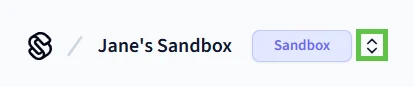
- Click New Workspace.
- Click the workspace for which you want to create an API key.
- In the left navigation pane, click API Keys.
- In the upper-right corner of the API Keys page, click Add API Key.
- In the Add API Key dialog, type a name for your new API key and then click Create API Key.
- Copy the newly-created API key and store it for future use.
Production API keys do not include
test, while API keys for sandbox
workspaces do include test. In addition, if you accidentally commit your API
key to a GitHub repo, the seam_ prefix is detected, and you are notified.Export an API Key
Once you have created an API key, it is useful to export this key as an environment variable. Then, all installed Seam SDKs automatically use this exported API key. Open a terminal window and enter the following command to export your API key:Test an API Key
Test an API key by exporting the key as an environment variable and then running the code in this section. If the API key is valid, the response displays the corresponding workspace information. First, export the API key, as follows:- JavaScript
- cURL
- Python
- Ruby
- PHP
- C#
Code:Output: